

The Complete Email Marketing Course: How to Build a $72-ROI System From Scratch
Most people treat email marketing like an afterthought — a newsletter they send once a month when they remember to or a discount code blasted out during a sale. Then they wonder why it doesn’t work.
Here’s the truth: email marketing isn’t a single task. It’s a full system made up of several interconnected parts — your website your domain infrastructure your automation platform your subscriber capture strategy, your campaigns, and your analytics. Skip one piece, and the whole engine underperforms.
This guide walks through that entire system, end to end, exactly the way a growth-focused business should build it: starting with the foundation (your website and domain) moving into the mechanics (professional email setup and your automation platform), then into growth (capturing subscribers and automating the sales process) and finally into optimization (campaigns, design, and analytics).
By the end you’ll understand not just why email marketing is worth your time, but precisely how to build the entire pipeline yourself — no developer no agency and in most cases no upfront budget.
1. Introduction & Benefits: Why Email Deserves the Center of Your Strategy
Before touching any tool, it’s worth understanding why this channel deserves so much attention in the first place.
The High ROI Advantage: $1 In, Up to $72 Out
The headline statistic that keeps coming up in email marketing conversations is simple but powerful: for every $1 invested in email marketing, businesses can see returns as high as $72. Compare that to typical paid advertising returns, which for a large share of campaigns land in the low single digits once you factor in ad spend, platform fees, and management time. There is no other marketing channel that comes close to this kind of cost efficiency at scale.
The reason is structural. With paid ads, you pay every single time you want to reach someone. With email, once a person is on your list, reaching them again costs next to nothing. Your cost per message drops toward zero while your audience keeps growing — which is exactly the opposite of how most paid channels behave.
You Can Start With Zero Budget
One of the biggest myths in marketing is that you need serious capital to run a “real” automation system. In reality, most modern email platforms let you start completely free — typically supporting a subscriber base of around 500 contacts — while still unlocking automations, sign-up forms, and segmentation tools that used to be reserved for big-budget brands.
This gives you a genuine “learn while you grow” runway. You get to test your messaging, refine your offers, and build your list without any financial risk. By the time you outgrow that free tier, your list should already be generating enough revenue to comfortably justify the next-tier subscription.
An Essential Business Tool, Not a Legacy Tactic
It’s tempting to write off email as outdated in a world of short-form video and social algorithms. But that narrative usually comes from people who tried email once, sent a generic blast, and gave up when it didn’t perform. Done properly — with segmentation, automation, and a real content strategy — email remains one of the only channels a business fully owns.
Brand Awareness That Survives Algorithm Changes
Every social platform can change its algorithm overnight, and when it does, your organic reach can collapse without warning. Your email list doesn’t work that way. As long as you maintain it properly, it stays reachable — next month, next year, and beyond. That makes it not just a marketing channel, but a long-term brand asset and a form of insurance against platform volatility.
2. Website Prerequisites: The Foundation Everything Else Sits On

You can’t run email marketing in a vacuum — it needs to connect to a website that captures leads and completes sales. The good news is that building that foundation has never been simpler.
AI Website Builders Remove the Technical Barrier
Modern AI-powered builders — Hostinger’s AI website builder being a well-known example — let you describe your business in plain language and receive a visually polished, fast-loading site within minutes. You don’t need to touch code, hire a designer, or brief a developer. Your role shifts from “technical builder” to “creative director”: you guide the direction, and the AI executes the build.
Why a Business Plan and a Free Domain Matter
A step many beginners skip is pairing their site with a proper hosting plan that includes a free domain name. This matters for two reasons:
- Credibility. A branded domain (yourbusiness.com) looks far more trustworthy to visitors than a generic subdomain.
- Email infrastructure. As you’ll see in the next section, your domain is also the foundation for your professional email addresses — you can’t build one without the other.
A business-tier hosting plan typically bundles the domain, hosting, and email infrastructure together, which simplifies the entire setup into a single purchase instead of juggling multiple vendors.
Visual Attraction: First Impressions Convert
None of your email automation matters if visitors bounce the moment they land on your homepage. AI builders are specifically tuned to produce visually attractive layouts that feel current — clean typography, appropriate whitespace, and mobile-responsive design out of the box. This visual polish directly impacts whether a visitor trusts your brand enough to hand over their email address in the first place.
3. Professional Email Setup: Getting Your Messages Into the Inbox
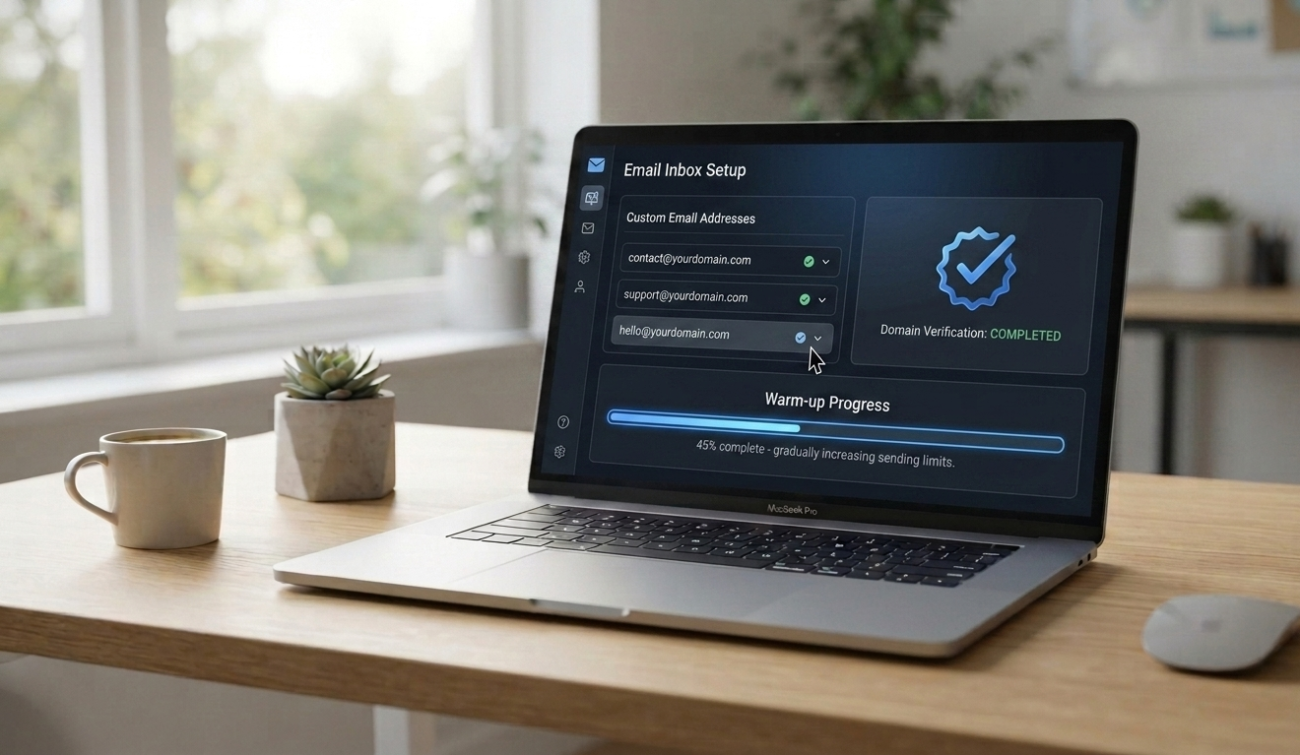
Once your website and domain exist, the next step is making sure your marketing emails actually reach people — not the spam folder.
Custom Domain Email vs. Generic Addresses
Sending marketing campaigns from a free Gmail or Yahoo address is one of the fastest ways to damage your credibility and your deliverability. Inbox providers are inherently more suspicious of bulk sends from generic consumer domains, and it signals to both spam filters and recipients that your business may not be fully established. A custom domain address — contact@yourbusiness.com — instantly signals legitimacy.
Multiple Mailboxes for Multiple Purposes
Most hosting plans allow you to create dozens of professional mailboxes under one domain — commonly up to 100. This lets you separate functions cleanly: contact@ for general inquiries, support@ for customer service, and marketing@ or hello@ for your campaigns. Keeping these separate protects your primary business communication from any deliverability issues that might arise from marketing sends.
The Email Warm-Up Process
This is the step most beginners skip — and it’s the one that quietly sabotages otherwise well-written campaigns.
A brand-new mailbox and domain have no sending history. If you immediately blast thousands of emails from it, providers like Gmail and Outlook treat that sudden volume as a red flag, and your deliverability tanks before your campaign even has a chance.
The warm-up process looks like this:
- Week 1–2: Send a small, consistent volume of emails daily to real, engaged contacts.
- Week 2–4: Gradually increase your sending volume as your open rates stay healthy and bounce rates stay low.
- Ongoing: Monitor bounce rates, spam complaints, and engagement closely, especially in the first month.
- Never buy email lists. Purchased lists are full of spam traps and inactive addresses that will damage your domain reputation almost immediately — often permanently.
Preventing Spam Flags
Beyond warm-up, a few ongoing habits keep your domain in good standing:
- Always include a visible, working unsubscribe link.
- Avoid spam-trigger words and excessive capitalization or exclamation points in subject lines.
- Keep your list clean by removing consistently unengaged or bounced addresses.
- Authenticate your domain properly (SPF, DKIM, DMARC) — most modern hosting providers handle this automatically when you set up custom email.
4. The Omnisend Platform: Your Automation Engine
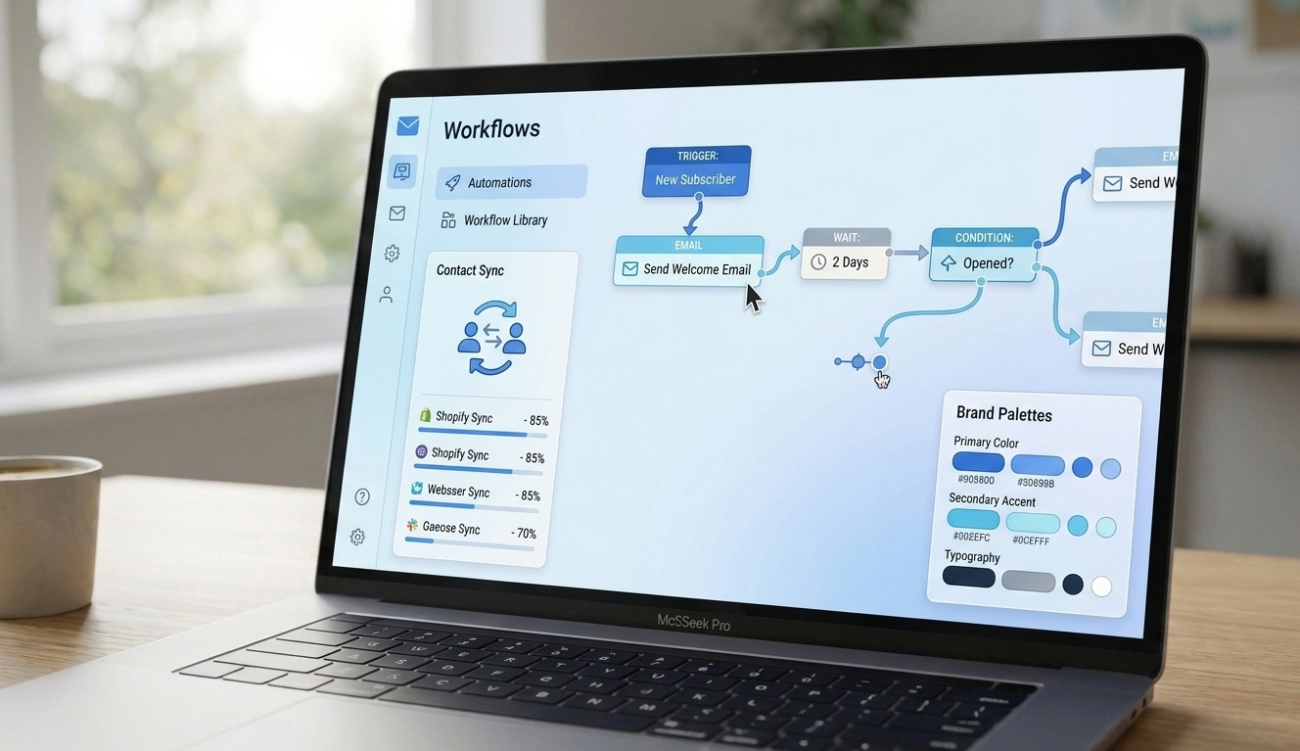
With your website and email infrastructure in place, you need a platform to actually run campaigns and automations. Omnisend is one of the most accessible options for this, particularly because of how easily it integrates with existing store platforms.
WordPress and WooCommerce Integration
If your site runs on WordPress with WooCommerce for e-commerce, Omnisend connects directly through a plugin. Plugin activation is straightforward: install it from your WordPress dashboard, authenticate your Omnisend account, and the connection is live.
Contact Synchronization
Once connected, Omnisend automatically synchronizes your existing contacts and captures new ones as they interact with your store — whether that’s a newsletter sign-up, a checkout, or an abandoned cart event. This synchronization is what allows all of your automations (covered below) to trigger correctly based on real customer behavior.
Brand Asset Customization
Before sending anything, it’s worth uploading your brand assets — logo, brand colors, and fonts — into the platform. This ensures every automated email, sign-up form, and campaign matches your website’s visual identity automatically, rather than looking like a generic template bolted onto your brand.
5. Subscriber Capture: Turning Visitors Into Contacts
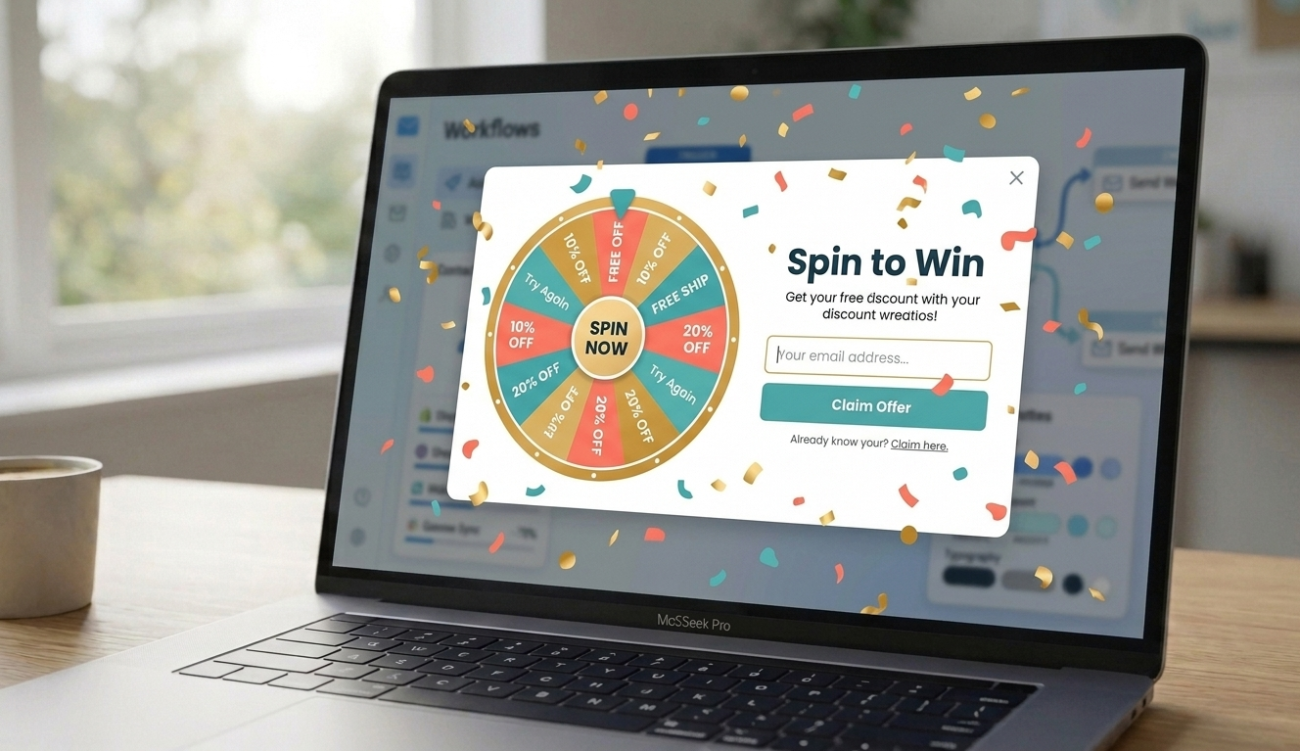
A platform full of automation potential is useless without subscribers to send to. This is where subscriber capture strategy comes in — and it has more nuance than simply slapping a pop-up on your homepage.
Form Types: Choosing the Right Capture Method
Different form types serve different purposes:
- Pop-up forms: Appear over the page content, typically after a delay or specific trigger. Highly visible, but should be used carefully to avoid frustrating visitors.
- Sign-up forms: Embedded directly in your footer, sidebar, or a dedicated landing page — less intrusive, always available.
- Gamified forms (Wheel of Fortune style): Turn the sign-up process into an interactive mini-game, where visitors spin for a discount code in exchange for their email. These consistently drive higher opt-in rates because they add an element of fun and immediate reward.
Triggers & Behavior: Showing the Right Form at the Right Moment
Rather than showing every visitor the same pop-up the second they land, smart capture strategy uses behavioral triggers:
- Time on page: Trigger a form after a visitor has spent a meaningful amount of time reading, signaling genuine interest.
- Scroll depth: Trigger once a visitor has scrolled through a significant portion of the page, rather than interrupting them immediately.
- Exit intent: Detect when a visitor’s cursor moves toward closing the tab or browser, and trigger a last-chance offer before they leave entirely.
These triggers dramatically improve conversion rates compared to a generic “pop-up on load,” because they respond to actual visitor engagement rather than interrupting a cold visitor.
Offers & Incentives: Giving Visitors a Reason to Opt In
Nobody hands over their email address for nothing. Effective incentives include:
- Discount coupons: A percentage or fixed-amount discount on a first purchase.
- Free e-books or guides: Valuable for service-based or educational brands where an immediate discount doesn’t apply.
- Product recommendations: A personalized quiz or recommendation tool that requires an email to reveal results — useful for stores with a wide product range.
The right incentive depends on your business model, but the principle is constant: the exchange has to feel worth it from the visitor’s side
6. Email Automations: The System That Runs While You Sleep



This is where the real leverage of email marketing shows up. Once built, these automations run continuously, without you touching them again.
Welcome Series: First Impressions Matter
The moment someone joins your list, they’re at peak interest. A welcome series capitalizes on that:
- First impression: Your very first email should immediately reflect your brand’s tone and value — not launch straight into a hard sell.
- Immediate delivery: Any promised incentive (a discount code, an e-book) needs to arrive instantly. A delayed reward erodes trust before the relationship even starts.
Abandoned Cart: Reclaiming Sales in Progress
The single highest-intent visitor on your entire site is the one who added a product to their cart and then disappeared. They were seconds away from becoming a paying customer.
- Sales recovery: The core purpose of this automation — bringing back near-completed purchases automatically.
- Strategic delays: A short first delay (for example, five minutes) for a simple reminder, followed by a longer second delay (for example, five hours) for a stronger nudge.
- Progressive discounts: If the first reminder doesn’t convert, the second can include a small incentive — a discount code or free shipping — to close the gap.
Workflow Logic: The Details That Make Automation Feel Intelligent
- Custom triggers: Beyond cart abandonment, you can build workflows around browsing behavior, purchase history, or specific product categories.
- Exit conditions: Perhaps the single most important technical detail in the entire system. An exit condition automatically removes a customer from a sequence the moment they complete the action it was designed to encourage — for example, completing their purchase. Without this, customers keep receiving “don’t forget your cart!” emails after they’ve already paid, which looks careless and damages trust.
- A/B testing: Running two versions of a subject line, send time, or offer against each other lets you continuously improve performance based on real data rather than guesswork.
7. Campaign Management: Beyond Automation

While automations run in the background, campaigns are the messages you send intentionally — product launches, seasonal promotions, or content updates.
Subject Line Optimization
The subject line determines whether an email gets opened at all. Testing length, personalization (including the recipient’s name), and curiosity-driven phrasing against straightforward, benefit-led phrasing helps identify what resonates with your specific audience.
Audience Segmentation
Not every subscriber should receive every email. Segmenting your list by purchase history, engagement level, or expressed interests allows you to send more relevant campaigns — which improves open rates and reduces unsubscribes.
Campaign Booster (Resending to Non-Openers)
A simple but often-overlooked tactic: after a campaign goes out, wait a day or two, then resend the same campaign with a slightly different subject line specifically to the segment that didn’t open it the first time. This alone can meaningfully increase overall campaign reach without creating new content.
Balancing Promotions With Informational Content
A list that only ever receives sales pitches will disengage quickly. Mixing in genuinely useful content — tips, guides, or links to helpful resources — keeps subscribers opening your emails because they expect value, not just a pitch, every time you land in their inbox.
8. Design & Content: Making Every Email Look Intentional
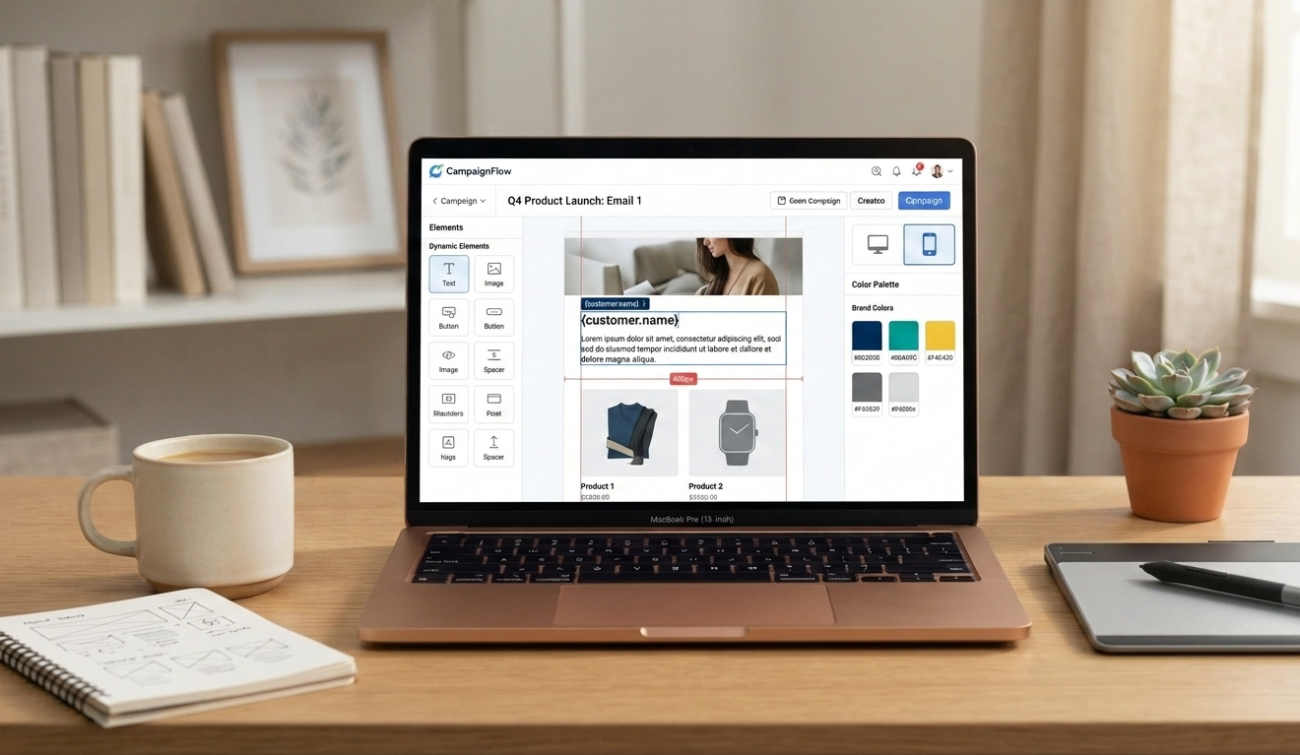
Even the smartest automation logic falls flat if the email itself looks unprofessional or is hard to read.
The 600px Canvas Standard
Most professional email templates are built around a 600-pixel-wide content canvas. This width has become the informal industry standard because it renders reliably and cleanly across the widest range of email clients and screen sizes, avoiding the awkward stretching or cropping that wider layouts can cause.
Mobile-Friendly Layouts
With the majority of emails now opened on mobile devices, layouts need to be responsive by default — single-column designs, large enough tap targets for buttons, and text sizes that remain legible without zooming.
Brand Color Consistency
Every email should visually reinforce your brand — consistent colors, fonts, and logo placement across your welcome series, abandoned cart flow, and campaigns. This consistency builds recognition, so subscribers know it’s you before they even read the subject line.
AI Content Assistants
Most modern email platforms, including Omnisend, now include AI-assisted content tools that can help draft subject lines, body copy, and even suggest send times based on your audience’s historical engagement patterns. These tools are best used as a first draft generator — a starting point you then edit into your own brand voice, rather than a final, untouched output.
9. Analytics & Reports: Closing the Loop
None of the above matters if you’re not measuring what’s actually working. This final piece turns your email system from a set-it-and-forget-it setup into a continuously improving engine.
Open Rate & Click Rate
These are your earliest indicators of health. A declining open rate usually points to subject line fatigue or list quality issues; a low click rate despite a healthy open rate usually points to weak or unclear calls to action inside the email itself.
Revenue Tracking
The metric that matters most to your bottom line: how much revenue is directly attributable to each campaign or automation. Most platforms can track this by tying email clicks to actual purchases, letting you see precisely which automations — welcome series, abandoned cart, or specific campaigns — are generating the most return.
Subscriber Growth
Tracking not just your total list size, but the rate of growth and the source of new subscribers (which form type, which page, which incentive) tells you where to double down on your capture strategy.
Product Performance
For e-commerce specifically, tracking which products get recommended, clicked, and purchased through email campaigns helps refine both your email content and your broader merchandising strategy — surfacing which products deserve more promotional attention.
Conclusion: From Manual Hunting to a Self-Running System
Put together, these nine pieces — introduction and strategic buy-in, your website foundation, professional email infrastructure, your automation platform, subscriber capture, automated workflows, campaign management, design, and analytics — form a complete, self-reinforcing system.
None of it requires a developer. None of it requires a large budget to start. What it requires is sequencing: build the foundation first, set up the infrastructure properly, capture subscribers intentionally, automate the highest-value moments (welcome and abandoned cart), and then continuously refine based on what your analytics tell you.
The businesses that treat email as this complete system — rather than an occasional newsletter — are the ones seeing returns like the $1-to-$72 ratio that makes this channel so remarkable in the first place. The infrastructure is more accessible than it’s ever been. The only remaining variable is whether you build the system, or keep leaving that revenue on the table.
Frequently Asked Questions
1. Do I need a developer to set up this entire system?
No. AI website builders, plugin-based integrations like Omnisend for WordPress/WooCommerce, and drag-and-drop email design tools are built specifically so business owners can set up the entire pipeline themselves.
2. How long does the email domain warm-up process take?
Typically two to four weeks, starting with small daily volumes and gradually increasing as your engagement metrics stay healthy.
3. Which automation should I build first: welcome series or abandoned cart?
If you’re starting from scratch, build the welcome series first since every new subscriber passes through it, then add the abandoned cart automation once you have consistent site traffic and cart activity to work with.
4. What’s the most important technical detail in workflow automation?
Exit conditions. Without them, customers can keep receiving reminder emails for actions they’ve already completed, which damages trust in your brand.
5. How often should I check my email analytics?
Review open rates and click rates after every campaign, and do a deeper monthly review of revenue tracking, subscriber growth, and product performance to guide your next month’s strategy.